RUNOUT.
Vinyl & CD runout / matrix lookup
Lookup your vinyl or CD pressing from its matrix number.
Quickly lookup the value of your vinyl or CD by entering the matrix code, runout etching, serial / catalog number, or barcode.
Your result appears here
Enter a vinyl or CD matrix number or barcode above to reveal artwork, title, artist, year, label, catalog number, and value / sales statistics.
Decode the dead wax and matrix band.
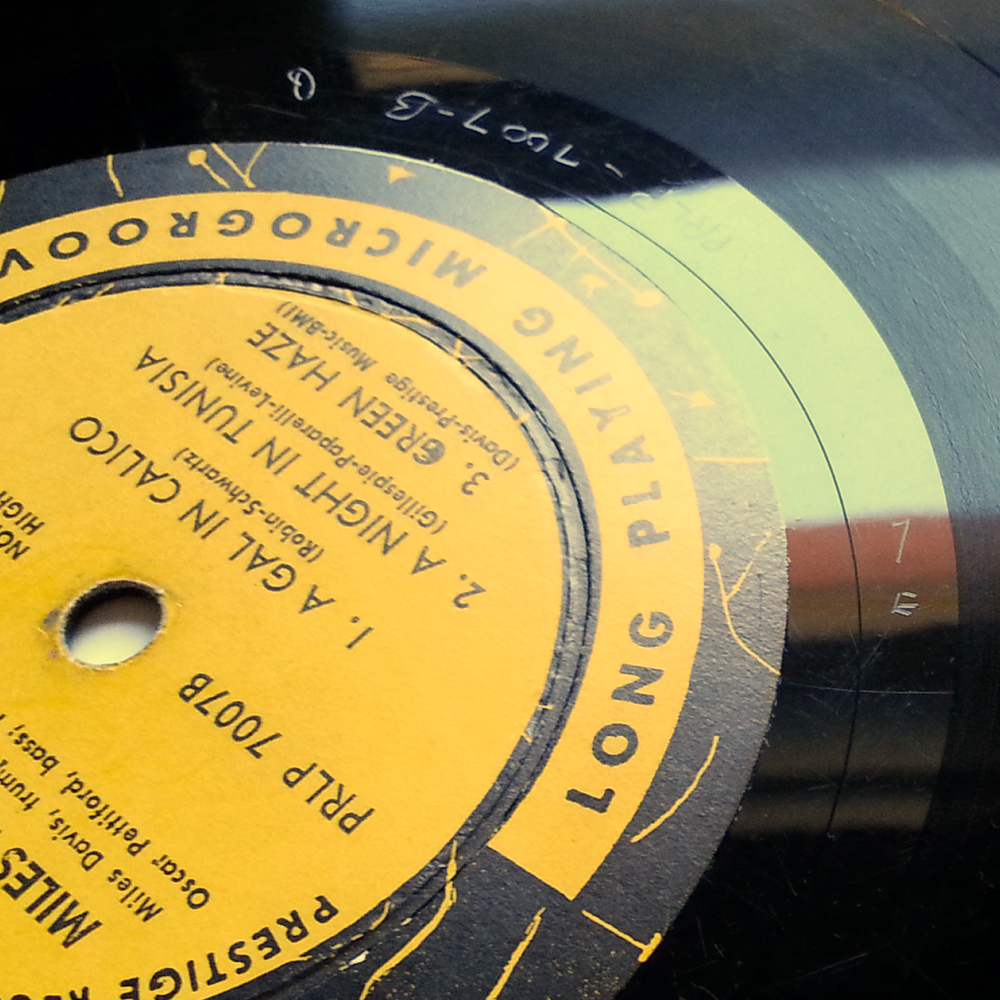
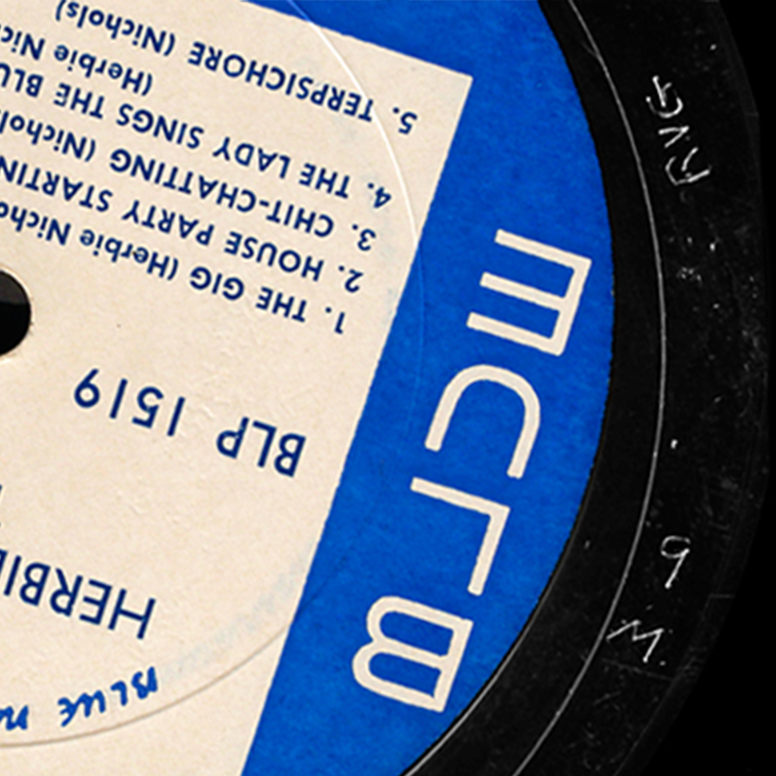
Runout matrix etchings are the tiny characters stamped or hand-scribed into the blank space between a vinyl record's last groove and the label. They usually include the catalog number, side identifier (A/B), mastering stamps such as STERLING or MASTERDISK, and pressing-plant symbols like PR, SRC, or TML. On CDs, the same information lives in the mirror band — look for IFPI mastering codes (e.g., IFPI L422) and mould codes (e.g., IFPI 7501) around the hub.
Identifying these codes matters because the same album can be pressed dozens of times with different stampers, lacquers, and mastering engineers. A first pressing cut by a celebrated engineer can sound dramatically different — and be worth significantly more — than a later reissue from a different plant.
RUNOUT. reads your matrix code, runout etching, serial/catalog number, or barcode and matches it against Discogs data so you can pinpoint the exact pressing year, audio source, and current market value.
Four steps from etching to valuation.
- 01
Find the code on your disc
On a vinyl record, the code lives in the dead wax — the smooth, ungrooved band between the last groove and the label. Tilt the record at a shallow angle under a single bright lamp and rotate it slowly until the scratched characters catch the light. On a CD, look instead at the clear mirror band between the centre hole and the start of the data area, where the matrix string and any IFPI codes are laser-etched. Wipe the surface first: dust and fingerprints hide thin strokes, and a phone camera zoomed in with the flash off often reads characters your eye cannot.
- 02
Type what you see
Enter the matrix number, runout etching, serial or catalog number, or the barcode from the back of the sleeve or inlay. Any one of them is enough to start. Transcribe the string exactly as it appears, taking care to distinguish the digit 1 from the letter I and the digit 0 from the letter O. Symbols and glyphs cannot be typed — leave them out for now and use them later to confirm the match. If a long string returns nothing, trim it: drop trailing stamper digits, plant suffixes and IFPI codes, and search the core block on its own.
- 03
Pick your exact pressing
Stampers were reused across regions and decades, so one matrix string frequently belongs to several releases. When that happens RUNOUT. shows every candidate pressing rather than guessing for you. Compare the record label, catalog number, country, year and format against the disc physically in your hand, and use the mastering stamps and plant marks in the runout as the tie-breaker. Choosing the right candidate is what separates an accurate valuation from a misleading one.
- 04
Read the market numbers
Once a pressing is selected, RUNOUT. pulls its live Discogs marketplace statistics: the lowest, median and highest recent sale values, plus how many collectors own the record and how many want it. Those figures are drawn from completed transactions rather than asking prices, so they reflect what copies genuinely change hands for. Use the have-versus-want ratio as a demand signal — a title wanted by far more people than own it tends to hold value, while a common pressing with thousands of copies in circulation rarely will.